
As industrial systems continue to evolve under Industry 4.0, the demand for smarter, more reliable human-machine interfaces (HMIs) is rapidly increasing. From factory automation and control systems to portable industrial equipment, touchscreen displays are becoming the standard interface.
However, designing a touchscreen for industrial applications is far more complex than adapting consumer-grade solutions. Harsh environments, heavy usage, and strict reliability requirements demand a fundamentally different approach.
This article explores the key design considerations for industrial touchscreen displays—and how to ensure long-term performance in real-world conditions.
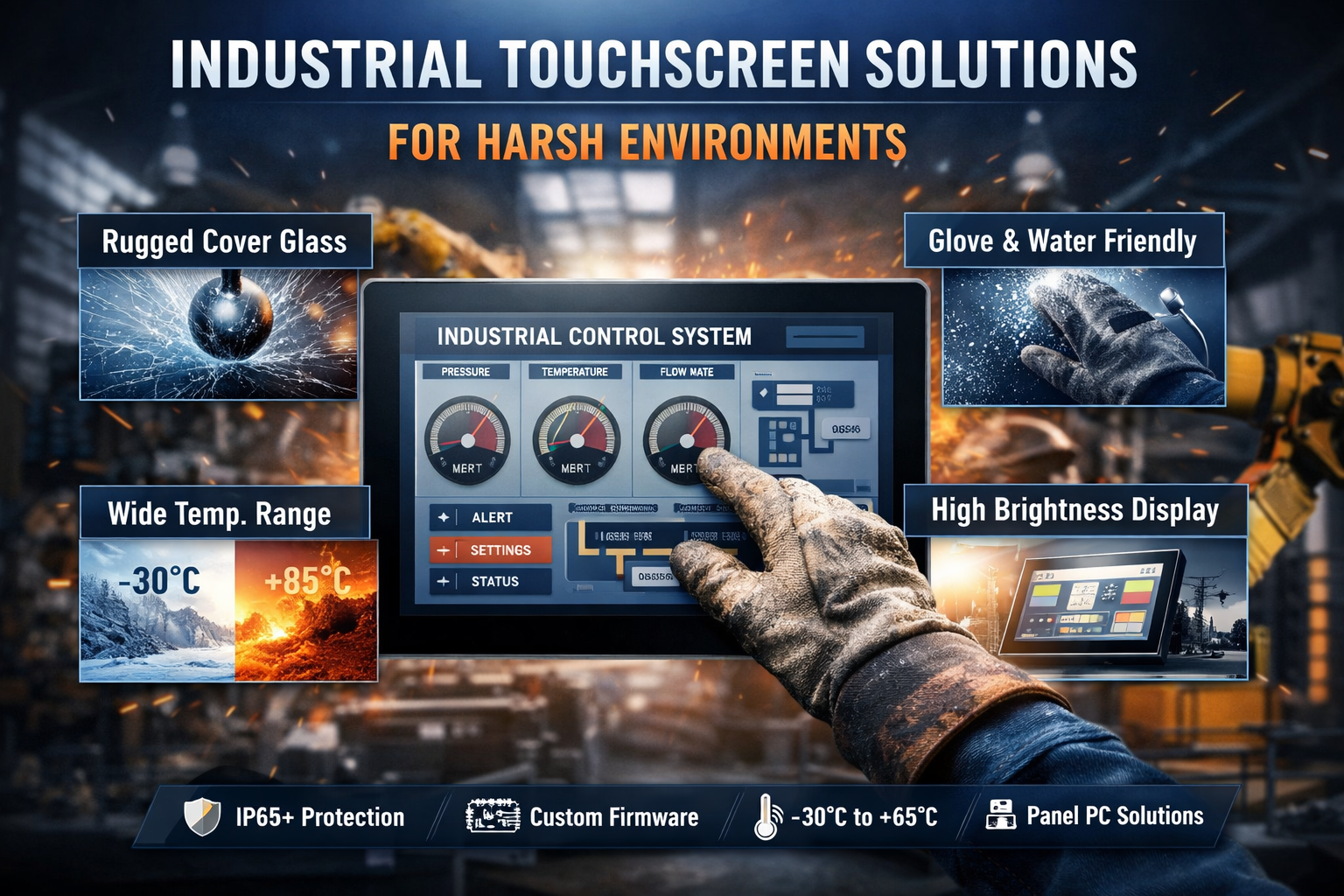
Rugged Cover Glass: The First Line of Defense
Why Cover Glass Matters
The cover glass is the most exposed component of any touchscreen. In industrial environments, it must withstand:
- Repeated physical impact
- Abrasion from tools and debris
- Chemical exposure (oil, solvents, cleaners)
- Continuous use with gloves
Standard consumer-grade glass or plastic simply cannot meet these demands.
Glass vs Plastic: A Critical Choice
While plastic materials offer flexibility and lower weight, they fall short in:
- Scratch resistance
- Chemical durability
- Long-term wear resistance
Industrial applications require chemically strengthened glass with hardness ratings up to 9H+, ensuring durability under extreme conditions.
Advanced Coatings for Industrial Use
To further enhance performance, industrial cover glass often includes:
- Anti-glare (AG)
- Anti-reflection (AR)
- Anti-fingerprint (AF)
- Anti-bacterial coatings
These coatings improve visibility, usability, and maintenance efficiency—especially in high-contact environments.
Thickness & Mechanical Design
Typical cover glass thickness ranges from:
👉 2 mm to 10 mm+
Depending on application, engineers perform tests such as:
Ball drop tests
Impact simulations
Vibration testing
The goal is to balance:
Durability + Optical clarity + Cost + Weight
PCAP Touch & Firmware Optimization
The Rise of Projected Capacitive Touch
Modern industrial HMIs increasingly rely on PCAP technology due to:
- Multi-touch capability
- Smooth user experience
- Sleek, bezel-free design
However, industrial environments introduce challenges not seen in consumer devices.
Glove Operation Challenges
Operators often wear:
- Nitrile gloves
- Rubber gloves
- Thick leather gloves
Standard touch systems struggle with these materials.
Solution:
Custom firmware tuning that:
- Adjusts sensitivity
- Enhances signal detection
- Maintains accuracy
Moisture & Noise Interference
Industrial environments may include:
- Water droplets
- Oil contamination
- High electromagnetic interference (EMI)
Without proper tuning, this can cause:
- False touches
- System errors
- Safety risks
Solution:
- Advanced noise filtering algorithms
- Environmental adaptation tuning
- EMI compliance design
System-Level Stability
Reliable touch performance requires integration across:
Hardware
Firmware
Application software
This ensures:
Stable operation even under vibration, moisture, and heavy usage
Wide Temperature Operation
The Temperature Problem
Consumer displays typically operate at:
👉 0°C to 50°C
But industrial environments often require:
Freezing conditions
Direct sunlight exposure
High-heat machinery proximity
Industrial-Grade Display Solutions
Industrial displays support:
👉 -30°C to +85°C or -30°C to +85°C
Benefits include:
No startup delay in cold environments
Stable image quality
Reduced failure rates
Enhancing Visibility
To maintain readability in all conditions:
- High brightness (≥700 nits)
- IPS display technology for wide viewing angles
- Optical bonding to reduce reflection
Additional Design Considerations
Environmental Protection
Industrial displays often require:
- IP65 or higher protection
- Dust and water resistance
- Conformal coating for PCB protection
Interface Compatibility
Flexible interfaces ensure easy integration:
- HDMI
- USB
- MIPI
- LVDS
Mechanical Integration
Customization options include:
- Open frame / panel mount design
- Custom brackets and enclosures
- Shock and vibration resistance
Integrated Industrial Panel PC Solutions
In many applications, displays are combined with embedded computing systems to form:
👉 Industrial Panel PCs
These systems offer:
Integrated processing
Reduced wiring complexity
Compact installation
Ideal for:
Automation systems
Smart factories
Edge computing
Testing & Certification
Industrial displays must pass rigorous validation:
Thermal cycling tests
Humidity testing
Impact and vibration tests
EMI/EMC compliance
These ensure:
Long-term reliability in mission-critical environments
Conclusion: Designing for Reliability, Not Just Functionality
Industrial touchscreen design is not just about display performance—it’s about system reliability over years of operation.
A successful solution requires:
- Rugged materials
- Optimized firmware
- Wide temperature support
- Environmental protection
Looking for a Custom Industrial Display Solution?
With extensive experience in OEM/ODM display manufacturing, we provide:
TFT LCD / IPS / OLED solutions
Glove-compatible PCAP touch
Wide temperature designs
High-brightness displays
Full customization (glass, interface, structure)
👉 Contact us to discuss your project requirements and get tailored support.

