
If you’ve used a Raspberry Pi or similar mini-computers, you’ve probably wondered: how to pair this "tiny host" with a suitable screen? That’s where "Raspberry Pi screens" come in—displays designed specifically for mini-devices like the Raspberry Pi. They balance portability with perfect hardware and system compatibility. Let’s take a 7-inch HDMI Raspberry Pi screen as an example to explore its features, how it differs from regular TFT screens, and its cool uses.
Take this 7inch HDMI Display. It has all the core features of a Raspberry Pi screen:
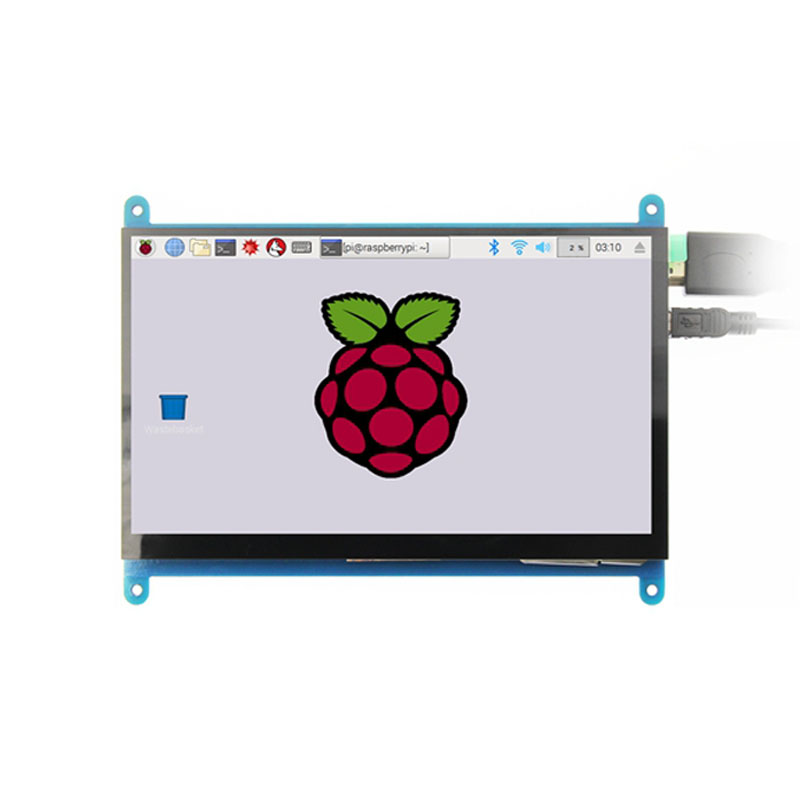
Size and Resolution: 7-inch screen with a native hardware resolution of 1024×600. It can support up to 1920×1080 via software, balancing display precision and portability.
Touch Interaction: 5-point capacitive touch, no extra drivers needed—just plug and use. It supports single-point touch on Raspberry Pi systems like Raspbian and Ubuntu, and 5-point touch on Windows 7/8/10, fitting various needs.
Wide Compatibility: It works not just with Raspberry Pi, but also with other mainstream mini-PCs like BB Black and Banana Pi. It even doubles as a general HDMI monitor, connecting to computers as a secondary screen.
Smart Design: Supports independent backlight control (manually switch on/off to save power) and has CE, RoHS certifications, ensuring safety and practicality.
Raspberry Pi TFT Screen vs. Regular TFT Screen: What’s the Difference?
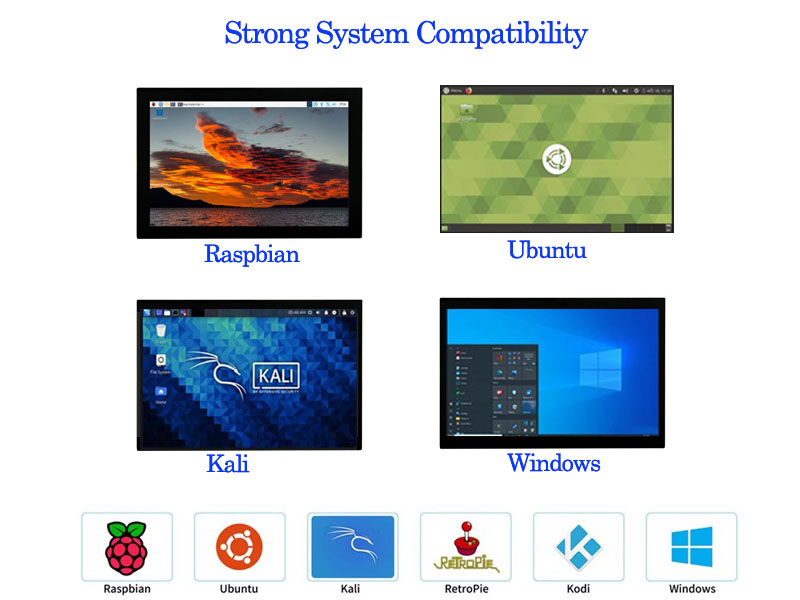
Both are TFT screens, but their design logic differs in three key ways:
1. Compatibility
Raspberry Pi TFT screens are tailor-made for mini-devices. Take this 7-inch screen: add a few lines of code to the Raspberry Pi’s config.txt, and it perfectly matches resolution, touch calibration, and even supports 0°/90°/180°/270° rotation (display and touch sync up). No drivers needed.
Regular TFT screens focus more on universal compatibility. They need manual driver installation and resolution tweaks, often struggling with Raspberry Pi—display misalignment or touch failure is common.
2. Feature Integration
Raspberry Pi TFT screens usually integrate touch and power ports (like this one’s dual USB ports—power and touch signals in one). No messy extra wires, great for mini-devices needing "minimal wiring."
Regular TFT screens prioritize display. Touch often needs an extra control board, with separate power and signal ports—better for scenarios needing expansion but not portability (e.g., industrial equipment).
3. Use Scenarios
Raspberry Pi TFT screens are designed for "mobile mini-device scenarios"—like backlight off for power saving (good for outdoor use) and small size (easy to embed in homemade devices).
Regular TFT screens focus more on brightness and refresh rates, suited for fixed high-def displays (e.g., TVs, monitors).
Where Raspberry Pi Screens Shine: From Makers to Tools
Thanks to these traits, their uses are surprisingly diverse:
Maker projects: Build a portable game console (run retro emulators) with a Raspberry Pi + 7-inch screen, or a smart home control panel (display temperature/humidity + touch control).
Education & experiments: In coding classes, students can build small robot "screens" to view sensor data in real time.
Industrial aid: Act as a small monitor, pairing with a Raspberry Pi and camera to monitor equipment, or as a lightweight, durable control panel for embedded devices.
Everyday tools: Mod into a Raspberry Pi laptop (Pi + battery + screen) for coding or research on the go.
The Core Value of Raspberry Pi Screens
At its core, Raspberry Pi screens exist to maximize the value of mini-hosts like the Raspberry Pi. They don’t take up as much space as regular monitors, need no complex setup to work with systems, and simplify operation with touch. Whether you’re a maker, student, or small device developer, they help turn ideas into reality—after all, the fun of Raspberry Pi is making "small devices" do "big things."
If you want to experiment with Raspberry Pi, the right screen might just be your creative key.

